
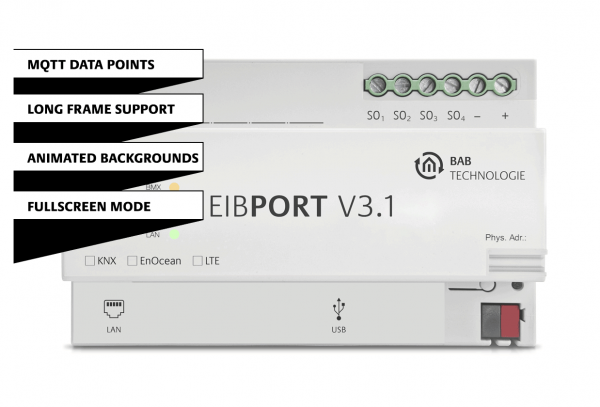
EIBPORT Version 3.10.1
MQTT, Long Frames, dynamic backgrounds and much more.
Discover what’s new in EIBPORT Version 3.10.1. From MQTT integration and Long Frame Support to animated backgrounds, the latest firmware introduces powerful new features for smarter building automation and more flexible visualization.

MQTT data points in EIBPORT.
One platform. Full connectivity.

In addition to KNX and Modbus TCP data points, MQTT data points can now also be used in the EIBPORT LOGIK EDITOR. This allows values from MQTT-based devices and systems to be integrated directly into logic functions – and conversely, states and values from building automation can be made available via MQTT.
This opens up new possibilities for integrating, for example:
• Energy management, PV systems and battery storage
• Wallboxes and charging infrastructure
• IoT sensors and ESP-based hardware
• Leading smart home platforms
• Monitoring and higher-level management systems

What does MQTT bring to a KNX installation?
MQTT gives KNX access to additional devices and data sources that are already used today in professional building and energy technology.
For example, data from Eltako or Janitza energy meters, or charging infrastructure solutions from Phoenix Contact, can be fed into the EIBPORT LOGIC EDITOR via MQTT. Consumption and power values can then be linked to KNX functions or displayed in a central visualization.
Long Frame Support.
ETS programming at full speed.

Program faster. Commission more efficiently.
With KNXnet/IP Tunneling Long Frame Support, EIBPORT V3.1 enables more efficient ETS programming of modern KNX devices – for shorter download times and a faster workflow during commissioning at speeds of up to 125 bytes per second.

Benefits of Long Frames:
Long Frames can transport more payload data per telegram. This means that certain transmissions require fewer individual frames, reducing protocol overhead and bus/IP communication. This can result in a more efficient and robust process, especially for larger ETS downloads, firmware updates and remote programming.
Now design gets moving.
With animated backgrounds.

With the new EIBPORT V3.1 firmware, animated backgrounds can now be used in the visualization. This creates more dynamic and customizable interfaces that can be tailored even more closely to the design, room or application. In CONTROL L, users can even choose directly between prepared backgrounds or customize them to their individual preferences.

More motion, more individuality – with full control over the configuration:
A wide range of animation types and configuration options are available. Suitable animations can be prepared via configurable presets and made available specifically to users.
You decide how much creative freedom your users receive: direct access to the animation settings can optionally be enabled. This makes it possible either to specify clearly defined designs or to allow individual customization by the user.
Further new features and optimizations:
• Test functions for MQTT and Modbus TCP data points
• Extended Modbus TCP configuration with central and individual polling intervals
• Improvements for CONTROL L status indicators, Graph V2, camera element and kiosk mode
• Improvements in security, performance and stability